
Last Updated on 22/09/2026 by PetSmartify Editorial Team
(Disclosure: This page contains affiliate links. As an Amazon Associate, we earn from qualifying purchases at no extra cost to you.)
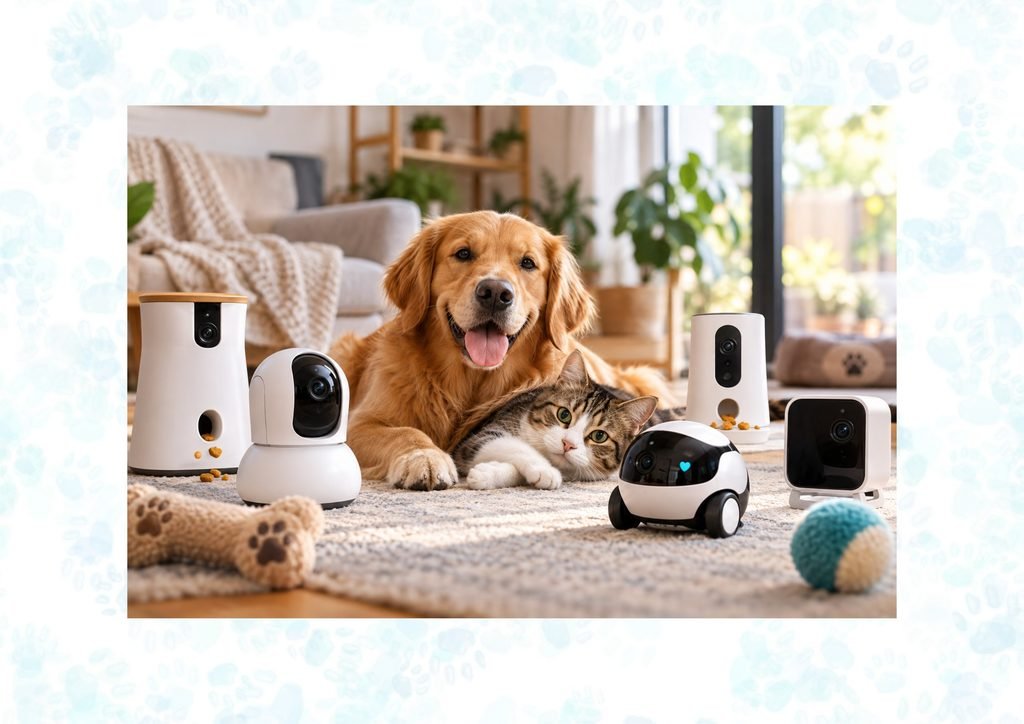
Leaving your pet home alone can be stressful for both of you, but a smart pet camera lets you check in, interact with them and keep an eye on what’s happening while you’re away. Today’s smart pet cameras go far beyond basic video monitoring, with features such as treat dispensing, AI-powered pet tracking, automatic activity alerts, two-way audio, 360° views and even mobile cameras that can move around your home.
Whether you want to reward your dog with a treat, see what your cat is up to, monitor multiple pets or remotely explore the house with a camera robot, there’s a smart pet camera designed for the job.
Table of Contents (Feel free to jump to sections if you are in a hurry)
What Are the Benefits of Using a Smart Pet Camera?
A smart pet camera can do much more than let you watch your pet while you’re away. Depending on the model, it can help you:
- Stay connected: Check in on your pet, talk to them and see what they’re doing from your phone.
- Monitor their safety: Receive alerts about movement, barking, unusual activity or other potential problems.
- Reduce boredom: Treat dispensing, interactive features and mobile cameras can give pets stimulation when you’re not home.
- Keep an eye on multiple pets: AI-powered cameras can identify and track individual pets, making it easier to see what each one is up to.
- Support training: Use two-way audio or treat dispensing to reward good behavior and reinforce routines remotely.
- Get peace of mind: Whether your pet is sleeping peacefully or getting into something they shouldn’t, you can check in without being at home.
The best camera for you will depend on what you want it to do. Some are designed around treat dispensing, while others focus on AI tracking, 360° monitoring or the ability to move around your home.
👉 If you are looking for a mobile pet camera that you can drive around your home remotely, read our Review on the Enabot EBO SE.
Best Pet Cameras in 2026
⭐ Best overall pet camera with treat tossing

– 360° rotating 1080P HD camera
– Auto pet tracking
– 2-way audio
– Remote treat tossing
– Smart alerts
– 360° rotating 1080P HD camera
– Auto pet tracking
– 2-way audio
– Remote treat tossing
– Smart alerts
– Feather wand attachment
(Product prices and availability are accurate as of the time of publication and are subject to change. Any price and availability information displayed on Amazon or any partner site at the time of purchase will apply.)
⭐ Best compact/travel camera
– 360° rotating 2K QHD camera
– Auto pet tracking
– 2-way audio
– Smart alerts
– Remote treat tossing
⭐ Best established and trusted brand with treat tossing

– 1080p HD 160° angle-view camera
– 2-way audio
– Remote treat tossing
– Alexa compatible
– Accommodates various treat sizes
– AI-powered alerts
⭐ Best budget camera with treat tossing

– 2K ultra-HD camera with 355° pan rotation
– AI auto tracking
– Alexa & Google Assistant compatible
– Remote treat tossing
– 2-way audio
– Smart alerts
⭐ Best mobile pet camera robot

– Drive the camera remotely from a smartphone
– 2K video
– 2-way audio
– Built-in laser
– Auto-recharge
⭐ Best AI tracking camera – no treat dispenser
Features Comparison Table
| Product | Camera | AI Tracking | Treat Toss | 2-Way Audio | Night Vision | Voice Control |
|---|---|---|---|---|---|---|
| Furbo 360 | 1080P HD | ✅ | ✅ | ✅ | ✅ | ❌ |
| Petcube Bites 2 Lite | 1080P HD | ❌ | ✅ | ✅ | ✅ | Alexa |
| TKENPRO | 2K Ultra-HD | ❌ | ✅ | ✅ | ✅ | Google/Alexa |
| Furbo Mini 360 | 2K QHD | ✅ | ✅ | ✅ | ✅ | ❌ |
| PETLIBRO Scout Smart | 1080P HD | ✅ | ❌ | ✅ | ✅ | ❌ |
| Enabot EBO Air | 2K | ✅ | ❌ | ✅ | ✅ | ❌ |
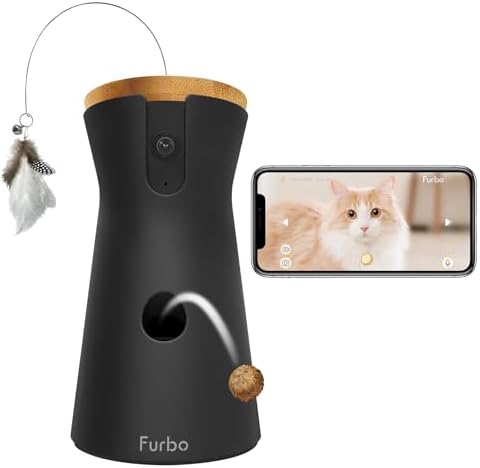
1. Furbo 360 Dog/Cat Camera
– 360° rotating 1080P HD camera
– Auto pet tracking
– 2-way audio
– Remote treat tossing
– Smart alerts
– 360° rotating 1080P HD camera
– Auto pet tracking
– 2-way audio
– Remote treat tossing
– Smart alerts
– Feather wand attachment
Key Features
✅ Rotating 360° View: The Furbo 360° uses a rotating 1080p Full HD camera with a wide-angle view and 4x digital zoom, allowing you to look around the room from the Furbo app and reduce blind spots. The camera is designed for monitoring pets in larger, open areas.

✅ Auto Pet Tracking: The camera can automatically rotate and zoom to follow your pet as they move around the room. With Furbo Nanny, tracking can also continue when Live View is closed, with activity saved as cloud recordings.
✅ Color Night Vision: The 360° camera includes automatic night vision and can provide color vision in low-light conditions, helping you see your pet more clearly when the room isn’t fully lit.
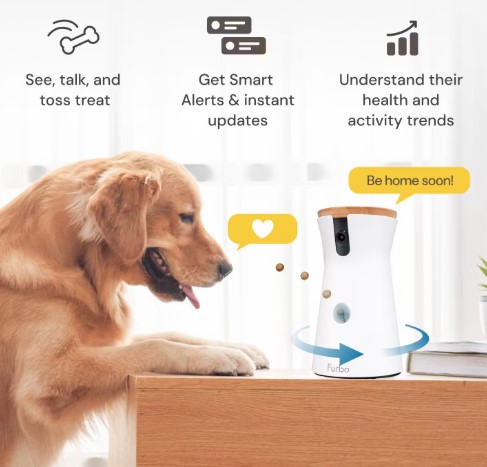
✅ Treat Tossing: You can remotely toss treats from the Furbo app to interact with and reward your pet while you’re away. The Furbo 360° has a capacity of up to 100 small treats. Furbo recommends checking its treat-size guidelines to make sure treats are suitable for the dispenser.
✅ Two-Way Audio: The built-in microphone and speaker allow you to hear your pet and speak to them through the app, making it possible to reassure, praise or interact with them remotely.
✅ Smart Pet Alerts: Furbo can send alerts relating to pet activity, such as barking or meowing, while additional smart alerts are available through Furbo Nanny. Depending on the subscription and current features, these can include alerts for behaviors or events such as vomiting, smoke and other unusual activity.
✅ Furbo Nanny & AI Features: Furbo Nanny adds cloud-based smart features and AI-powered pet care tools, including activity insights, video history and additional smart alerts. Furbo’s current Nanny 3.0 also includes an enhanced AI model and features such as multi-pet identification and activity summaries. These features require a Furbo Nanny subscription.
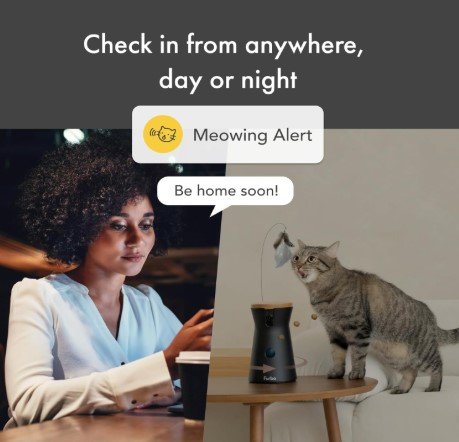
✅ Cat-Specific Features: The Furbo 360° Cat Camera is designed specifically for cats and includes a Feather Wand Toy for additional interactive play. It also provides meowing alerts through the Furbo app, with additional alerts available through Furbo Nanny.
⚠️ Considerations
- Premium Price: The Furbo 360° is more expensive than many basic indoor pet cameras, although it combines 360° viewing, treat tossing, tracking and pet-specific features in one device.
- Subscription for Advanced Features: You can use the camera for core functions such as live viewing and interaction, but Furbo Nanny is required for additional features such as video history, advanced smart alerts and some AI-powered capabilities. Furbo’s current subscription pricing varies by region and plan, so check the current price before purchasing.
- Requires a Reliable Wi-Fi Connection: Because the Furbo relies on an internet connection for live viewing, alerts and remote interaction, an unstable connection can affect performance.
- Large Compared with the Mini: The full-size Furbo 360° is designed for placement in a larger, open area and is considerably larger than the Furbo Mini. If you want something compact for a small room or travel, the Mini is worth considering instead.
Reviews
“Absolutely loved by my dogs. I love that I can watch them when I’m away. The calm feature setting is great to keep the dogs from barking. It was easy to set up and watch from the app on my phone. Good camera quality. Some lag but it doesn’t affect use. You can change the motion setting if it goes off too much. It has learned my dogs by name and tells me which one is doing what. They love getting treats when I’m away.”
“This is the some of the best money I’ve ever spent. I have a litter of 13 puppies and a whole room dedicated to them. I have two cameras set up so I can check on them without disturbing them. I can check to see if they’re playing, or making a poopy mess. My whole family checks on them throughout the day and we can tell whoever is home that a mess is being made. “
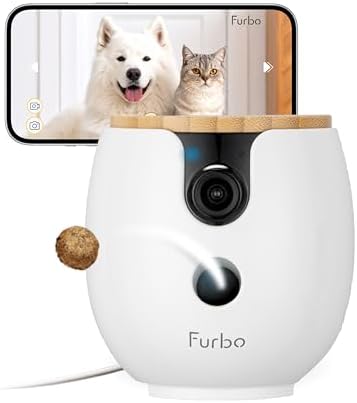
2. Furbo 360 Mini
– 360° rotating 2K QHD camera
– Auto pet tracking
– 2-way audio
– Smart alerts
– Remote treat tossing
Key Features
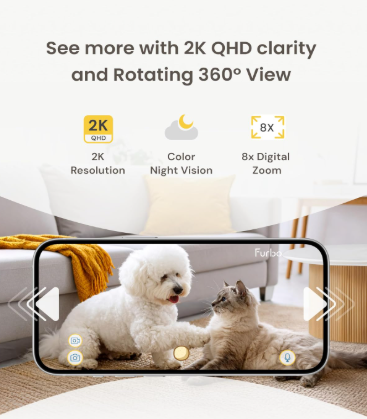
✅ 2K QHD 360° View: The Furbo Mini 360° provides 2K QHD video with a rotating 360° view and 8x digital zoom, giving you a detailed view of your pet and their surroundings. Its compact size makes it particularly suitable for smaller rooms and spaces.
✅ Color Night Vision: Color night vision helps you continue monitoring your pet when lighting is low.
✅ Auto Pet Tracking: The camera automatically rotates and zooms to follow your pet as they move around the room, helping you keep them in view without manually controlling the camera.
✅ AI-Powered Pet Care: Furbo Nanny provides AI-powered smart alerts and pet-care insights. These advanced AI features require a Furbo Nanny subscription.
✅ Lite Treat Toss: The Mini can hold approximately 10 small, bite-sized treats for remote treat tossing through the Furbo app. It’s designed for occasional rewards and interaction rather than the larger treat capacity of the full-size Furbo 360°.
✅ Two-Way Audio: Talk to your pet and listen to them through the camera using real-time two-way audio.
✅ Barking & Meowing Alerts: The Mini 360° can alert you when it detects barking or meowing. Furbo Nanny adds further smart alerts and pet-monitoring features through its subscription service.
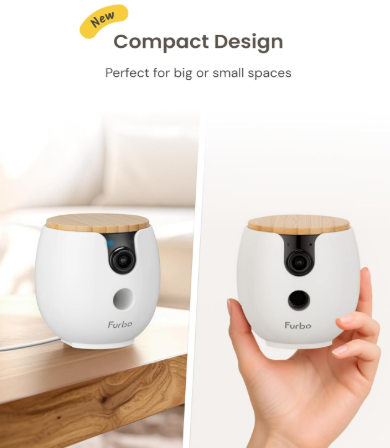
✅ Compact & Travel-Friendly: At just 0.3 lb, the Mini 360° is considerably smaller and lighter than the full-size Furbo 360° and is specifically recommended for small spaces and convenient travel, making it a useful option for apartments, bedrooms, temporary accommodation or taking your camera along on trips.
⚠️ Considerations
- Smaller Treat Capacity: The Mini’s Lite Treat Toss holds approximately 10 small treats, compared with the 100-treat capacity of the full-size Furbo 360°. It’s better suited to occasional rewards than frequent treat dispensing.
- Subscription for Advanced Features: Furbo Nanny is required for features such as video history and additional smart alerts and AI-powered pet-care features. Check the current subscription price for your region before purchasing.
- Not as Large-Capacity as the Full-Size Furbo: If your priority is frequent treat tossing or monitoring a large open area, the full-size Furbo 360° may be a better fit.
Reviews
“BEST CAT FUN EVER! You can treat your fur babies anytime, even at work. The camera is excellent, even in night vision mode. The Furbo holds a ton of treats and none have ever gotten stuck. (We use Temptations.) You get messages if your cat is meowing (or your weenie dog is borking) and you can talk to them. The only negative is we are spending a ton on cat treats:).”
“Absolutely worth the peace of mind. My dog was having separation anxiety from a change in my work schedule which required me to be out of the house on a more frequent basis. Therefore, he was thrilled to break out of the office by tearing down the baby gates I had up and running wild in the house. Now, when I notice he’s restless, I get to talk to him and encourage him to go back to napping.“
3. Petcube Bites 2 Lite
– 1080p HD 160° angle-view camera
– 2-way audio
– Remote treat tossing
– Alexa compatible
– Accommodates various treat sizes
– AI-powered alerts
Key Features
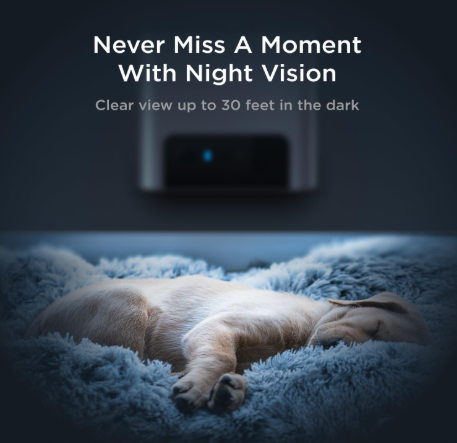
✅ 1080p HD Camera: The Bites 2 Lite provides 1080p HD video with a wide 160° field of view, automatic night vision and 8x digital zoom, giving you a broad view of the room while allowing you to zoom in for a closer look.
✅ Remote Treat Dispenser: The built-in treat dispenser lets you toss treats to your pet from the Petcube app. You can control the amount and throwing distance, use autoplay mode, or set up an automatic treat schedule. The hopper holds up to 1.5 lbs of treats and comes with three inserts to accommodate different treat sizes.
✅ Two-Way Audio: Talk to your pet through the app and hear what is happening at home. The two-way audio makes it easy to reassure your pet, interrupt unwanted behaviour or simply say hello while you’re away.
✅ Petcube Care & Smart Alerts: The camera works without a subscription for live streaming and basic sound and motion notifications. An optional Petcube Care subscription adds features such as cloud video history, 30-second event clips, smart alerts, video downloads and Daily Diary videos. Its AI-powered alerts can identify pets and people and recognize sounds such as barking and meowing.
✅ Amazon Alexa Compatible: The Bites 2 Lite works with Amazon Alexa through the Petcube Alexa skill, allowing you to use compatible Alexa devices for voice commands such as asking Petcube to give your pet a treat.
✅ 2.4 GHz Wi-Fi: The Bites 2 Lite connects to 2.4 GHz Wi-Fi and works through the Petcube mobile app. Petcube recommends at least 2 Mbps upload speed at the camera for reliable operation.
✅ Flexible Placement: The compact camera can sit on a table or shelf, or be mounted on a wall using the included mounting kit.
✅ Easy to Clean: The detachable treat container is dishwasher safe, making it easier to clean when treat crumbs build up.
⚠️ Considerations
- No rotating camera: The Bites 2 Lite has a wide 160° view but is a stationary camera. It does not pan, tilt or rotate to follow your pet, so placement is important.
- 2.4 GHz Wi-Fi only: Unlike some newer dual-band cameras, the Bites 2 Lite only supports 2.4 GHz Wi-Fi. This can provide good range, but it may be less convenient if your home network is configured primarily around 5 GHz.
- Subscription for advanced monitoring: You can use the camera without Petcube Care, but cloud video history, smart alerts and other advanced monitoring features require the optional subscription.
- Treat size matters: The dispenser works best with dry, crunchy treats that are uniform in size and shape. Petcube provides three inserts for different treat sizes, so choosing the appropriate insert is important for reliable dispensing.
- Not ideal for monitoring an entire home: Because the camera cannot physically move or track a pet, it works best when positioned to cover a particular room or activity area.
Reviews
“Love this camera and the treat function! I love that I can schedule treats to fling even when I am not home.”
“Makes going to work a bit easier when I can check in on my fur baby. He loves when I toss him treats when I am at work and I have the treat dispenser set up to send him treats after breakfast, mid-day and right before I get home from work.”
4. TKENPRO 2K Pet Camera with Treat Dispenser
– 2K ultra-HD camera with 355° pan rotation
– AI auto tracking
– Alexa & Google Assistant compatible
– Remote treat tossing
– 2-way audio
– Smart alerts
Key Features
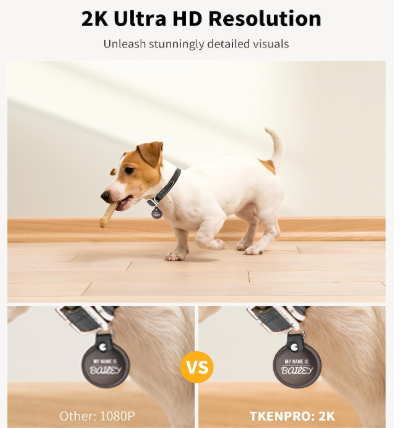
✅ 2K HD Video & Night Vision: The TKENPRO provides 2K video for a sharper view than many 1080p pet cameras, along with infrared night vision for checking on your pets in low-light conditions.
✅ 355° Pan Rotation & Wide-Angle View: The camera can rotate approximately 355°, providing near-360° coverage of the room. You can remotely adjust the camera through the app to check different areas of your home.
✅ AI Auto Tracking: The camera can automatically track your pet’s movement around the room, while motion and bark detection can send alerts to your phone when activity or barking is detected.
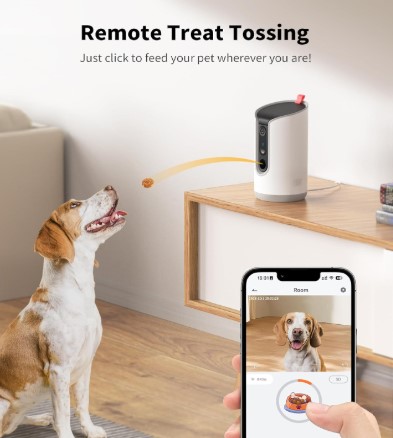
✅ Remote Treat Tossing: The built-in 0.5L treat dispenser lets you remotely toss treats to your pet through the app. TKENPRO recommends dry treats measuring approximately 7–15 mm. The treat dispenser makes the camera more interactive than a standard monitoring camera.
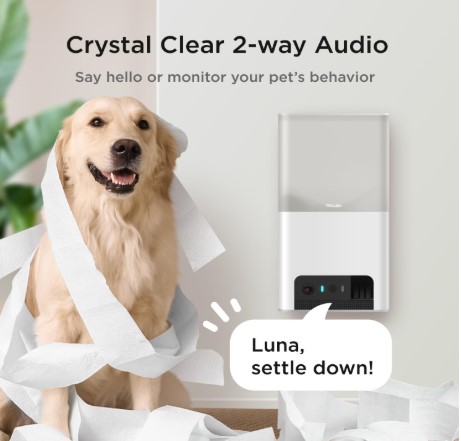
✅ Two-Way Audio: Talk to your pet remotely and hear what is happening at home through the built-in microphone and speaker.
✅ Dual-Band Wi-Fi: Unlike some budget pet cameras that only support 2.4 GHz networks, the TKENPRO supports both 2.4 GHz and 5 GHz Wi-Fi, giving you more flexibility when connecting it to your home network.
✅ Cloud & Local Storage: You can use the free cloud service for rolling motion-triggered recordings, upgrade to longer cloud storage with a subscription, or install a microSD card of up to 128GB for local 24/7 recording. The memory card is sold separately.
✅ AI Time Album: With the applicable cloud subscription, TKENPRO can automatically create a 60-second highlight video from your pet’s recorded moments, making it easier to save and share memorable activity without manually searching through footage.
✅ Alexa & Google Assistant Compatible: The camera supports Alexa and Google voice control for compatible smart-home setups.
⚠️ Considerations
- Treat size matters: The dispenser is designed for dry treats around 7–15 mm. Larger, softer or irregularly shaped treats may not work reliably, so check your pet’s treats before relying on the dispenser.
- Treat dispenser can occasionally jam: Customer feedback indicates that the dispenser can occasionally have trouble with unsuitable treats. Using the recommended size and shape should help reduce problems.
- Subscription for advanced cloud features: The camera’s core functions, including live viewing, treat tossing, two-way audio and basic alerts, can be used without a paid subscription. A subscription is needed for extended cloud recording and the AI Time Album.
- No battery-powered operation: TKENPRO is designed to remain plugged in, so you’ll need to position it near a suitable power outlet.
- Tracking isn’t perfect: AI auto tracking can follow pets around the room, but like most automatic tracking systems, it may lose a pet temporarily if they move quickly, disappear behind furniture or leave the camera’s view.
- Indoor use: This is an indoor pet camera and is not designed to withstand outdoor weather conditions.
- Privacy and app security: As with any internet-connected camera, use a strong Wi-Fi password and keep the camera and app software updated.
Reviews
“Easy setup! Works great – I can see and interact with our little girl – and toss her treats too! Clear video, motion detection and tracking – and NO monthly fees! Highly recommend!”
“Awesome product. Does exactly what it’s supposed to do. Camera quality is pretty clear too and the treat function is cool.”
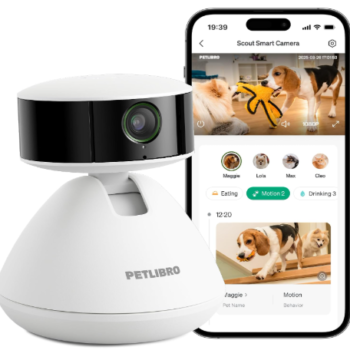
5. PETLIBRO Scout Smart
Key Features
✅ 360° Panoramic View & Auto-Tracking: The Scout provides 360° pan-and-tilt coverage and automatically tracks your pet as they move around the room, helping reduce blind spots and keeping your pet in view. It supports both 2.4GHz and 5GHz Wi-Fi.
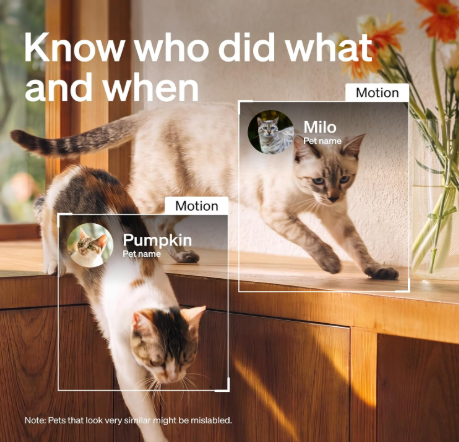
✅ AI Multi-Pet Recognition: Scout can recognize and distinguish up to five dogs or cats and organize captured moments by pet. This can be particularly useful in multi-pet households where you want to keep track of individual pets.
✅ AI Activity Tracking: The camera can identify activities such as eating, drinking, using the litter box for cats, general movement and pet selfies. It can then organize these moments so you can see what your pets have been doing without manually searching through hours of footage.
✅ AI Smart Summaries & Highlight Reels: Scout can generate descriptions of recorded clips and create a shareable 30-second highlight reel summarizing your pet’s day. These features are part of PETLIBRO’s Video Cloud AI service.
✅ 1080p HD Video & Color Night Vision: The Scout provides 1080p HD video with full-color night vision, allowing you to monitor your pets in different lighting conditions.
✅ Two-Way Audio: Use the PETLIBRO app to listen to your pets and speak to them remotely, making it easy to check in, reassure them or interact while you’re away.
✅ Human Detection & Home Monitoring: The Scout can detect people and send app alerts when a person is detected. However, is designed primarily as an indoor pet camera and is not intended as a dedicated security camera or door-monitoring device.
✅ Privacy Cover & Flexible Mounting: A manual privacy cover lets you physically cover the camera when you want privacy. Scout can be placed on a flat surface or mounted to a wall using the included mounting hardware.
⚠️ Considerations
- Cloud Storage Only: The Scout does not support microSD cards. Video storage is handled through PETLIBRO’s cloud service, so this is an important consideration if you prefer local video storage.
- Subscription for Advanced AI Features: You can use core functions without a subscription, including live streaming, auto pet tracking, AI multi-pet recognition, two-way audio and the in-app AI assistant. However, features such as behavior tracking, smart summaries, highlight reels and cloud video storage require a Video Cloud AI plan. PETLIBRO currently lists plans starting at $9.99/month, although pricing can vary by region.
- AI Recognition Isn’t Perfect: Scout can recognize up to five pets, but it may have difficulty distinguishing pets that look very similar.
- No Barking or Meowing Identification: Scout can detect sound, but it cannot specifically identify sounds such as barking or meowing.
Reviews
“This indoor dog camera has been absolutely perfect for checking on my dog while I’m at work! I love that the camera rotates around the room and see what he’s doing anytime during the day. The phone app is easy to use, and being able to talk to him has made such a difference. Hearing my voice seems to comfort him and helps him feel less lonely when I’m gone. The video quality is great, setup was simple and it gives me so much peace of mind knowing I can check on him whenever I want. Highly recommend for any pet owner!”
“I recently purchased the PETLIBRO Scout Smart Camera, and it has completely exceeded my expectations! The setup was quick and seamless, and the camera instantly connected to the app. I love how it automatically recognizes my dog, Boba, and sends me alerts whenever he’s on the move. The AI-powered tracking is impressively accurate, and the real-time notifications help me stay connected to Boba even when I’m not home. The app interface is user-friendly and provides cute activity recaps like eating and drinking logs. The camera quality is sharp, and the two-way audio feature makes it easy to check in on him.”

6. Enabot EBO Air 2
– Drive the camera remotely from a smartphone
– 2K video
– 2-way audio
– Built-in laser
– Auto-recharge
If you want more than a camera that simply sits in one spot, the Enabot EBO Air 2 turns pet monitoring into a mobile experience. This small robot camera can be driven around your home from the EBO Home app, allowing you to check different rooms, find your pet or simply see what’s happening while you’re away.
Key Features
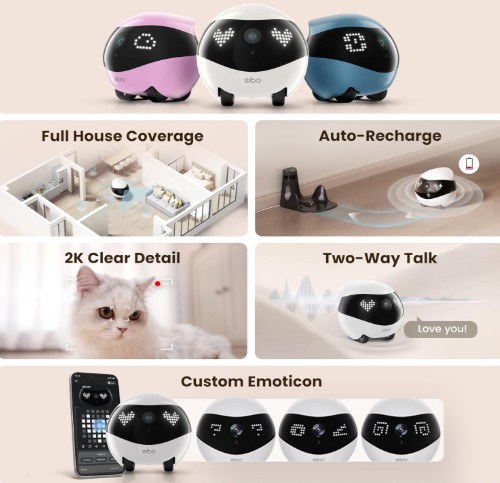
✅ Mobile Camera Robot: Drive the EBO Air 2 around your home remotely using the app. Its tracked wheels allow it to move across floors and carpets and explore areas that a fixed camera cannot reach.
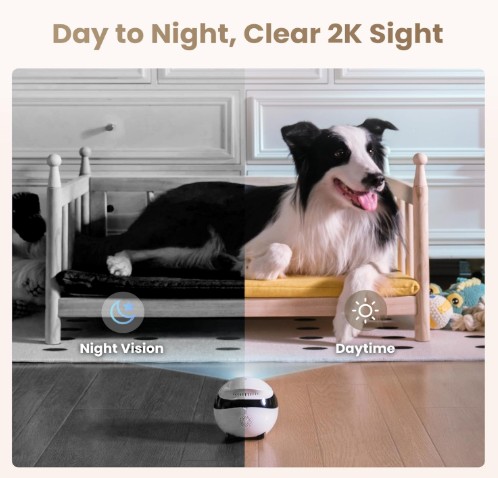
✅ 2K Day & Night Vision: The 2K camera provides a clear view of your pet and home, with night vision for monitoring in darker conditions.
✅ Two-Way Audio: Talk to your pet or family members remotely through the built-in microphone and speaker.
✅ Auto-Recharge: When the battery runs low, EBO Air 2 can return to its charging dock automatically, helping keep it ready for your next check-in.
✅ Interactive Pet Features: The built-in infrared laser and interactive sounds give you another way to engage with your pet while you’re away.
✅ Local Storage: EBO Air 2 includes a 32GB SD card for storing recordings and supports memory expansion up to 256GB.
⚠️ Considerations
- Needs an open path: Because EBO Air 2 is a mobile robot, it needs enough clear floor space to move around your home.
- Dock placement matters: The robot uses infrared to locate its charging dock, so placing the dock in an open, accessible area is important. It may have difficulty returning if the dock is in another room.
- Not a fully autonomous robot: You primarily control it remotely through the app, so it is better suited to interactive check-ins than completely hands-off monitoring.
Reviews
“I’m getting surgery next week and i’ll be stuck in the hospital for 4 days. My cat only likes me in the family so i know she was gunna miss me. I had to get this. I can see her perfectly and she isn’t afraid of it because she runs up to it when she hears me call her name from the robot. the quality and battery life is perfect good so far. safe to say this was the best $200 i spent.🤣”
“I’ve had this little robot for a few months now and it has been incredibly useful for our family. Our household consists of several adults and lots of pets. We can check in on the house when we are away, see who is home, talk to them, get up close to the dogs to say hi, and even give outside family and friends a tour of our house. We actually have two robots, one for upstairs and one for downstairs. Upstairs is carpet and downstairs is hardwood. The robot works well on both surfaces. It does bounce a bit while driving on carpet so it’s harder to see while you’re driving, but it’s not terrible.”
💡We’ve compared the EBO Air 2, Air 2 Plus, SE 2 and EBO Max in our complete Enabot EBO comparison.
What to Consider Before Buying a Smart Pet Camera
The best smart pet camera depends less on having the most features and more on what you actually want it to do. Before choosing one, consider:
- How your pet behaves: A dog that loves attention may benefit from treat tossing and two-way audio, while a cat that roams around the house may be better suited to a 360° or mobile camera. If you want activity insights, look for AI tracking and pet recognition.
- Camera coverage: Fixed cameras with wide-angle lenses work well when you know where your pet spends most of their time. A rotating 360° camera provides broader coverage, while a mobile camera such as the Enabot EBO Air 2 can actually move around the home.
- Treat dispensing: If treats are important, check the dispenser’s capacity and compatible treat size. Different cameras have very different requirements, so your pet’s favourite treats may not work with every model.
- Video quality and night vision: 1080p is adequate for everyday monitoring, while 2K can provide more detail when you want to zoom in. Colour or infrared night vision can also make a significant difference when monitoring after dark.
- Storage and subscriptions: Check what you can use without paying a monthly fee. Some cameras offer microSD storage, while others rely on cloud storage. Advanced AI features, video history and smart alerts may also require a subscription.
- Wi-Fi requirements: Check whether the camera supports 2.4 GHz, 5 GHz or both before buying. A stable connection is important for live streaming, alerts and remote interaction.
- Privacy and security: Choose a reputable brand, use a strong unique password and keep the app and camera firmware updated. Features such as privacy covers, two-factor authentication and local storage can also provide additional peace of mind.
Tips for Getting the Most from Your Pet Camera
- Choose the right location: Place the camera where your pet spends the most time, with a clear view and a strong Wi-Fi signal. Keep cords safely out of reach.
- Test it while you’re home: Try the live view, two-way audio, alerts and treat dispenser before relying on the camera when you’re away.
- Use alerts selectively: Too many notifications can quickly become background noise. Adjust motion, sound and pet alerts so you receive the information that actually matters.
- Make interaction positive: Use treat tossing, voice communication and interactive features to reinforce positive behaviour. Test how your pet responds to your voice first, as some animals find hearing you remotely reassuring while others become confused.
- Check your storage settings: If your camera supports local recording, install a compatible microSD card if appropriate. If it relies on cloud storage, check how much footage is included with the free plan and what requires a subscription.
Frequently Asked Questions
Do smart pet cameras work without Wi-Fi?
Most smart pet cameras rely on Wi-Fi for their app-based features, including live streaming, remote treat tossing and notifications. However, some cameras can continue recording locally to a microSD card if the internet connection goes down. Storage options vary by model, so check the individual camera before buying.
Do I need a subscription to use a smart pet camera?
Not necessarily. Many cameras allow basic live viewing and interaction without a subscription, but advanced features such as cloud video history, smart alerts and AI-powered insights may require a paid plan.
For example, Furbo Nanny adds advanced AI and smart-alert features to Furbo cameras, while PETLIBRO Scout uses cloud storage and requires a Video Cloud AI subscription for its advanced AI features and video storage.
Can smart pet cameras record without a subscription?
Some can. Cameras with microSD support can provide local recording without relying on a cloud subscription. However, not every camera offers this option. For example, the PETLIBRO Scout does not support microSD cards and uses cloud storage instead.
Do pet cameras work with 5 GHz Wi-Fi?
It depends on the camera. Some support only 2.4 GHz Wi-Fi, while others support both 2.4 GHz and 5 GHz. Always check the specifications for the exact model before buying, particularly if your home network uses separate Wi-Fi bands.
Can more than one person use a smart pet camera?
Usually, yes. Many pet-camera apps allow you to share access with family members or use the same account across multiple devices. The exact number of users and sharing options varies between brands.
Are smart pet cameras useful for multiple pets?
Absolutely, but the right camera depends on how your pets behave. A 360° camera can provide better coverage when several pets move around a room, while AI-enabled cameras can identify individual pets and track their activity. PETLIBRO Scout, for example, can recognize up to five dogs or cats, although it may have difficulty distinguishing pets that look very similar.
Can I talk to my pet through a pet camera?
Yes. Two-way audio is now common on smart pet cameras, allowing you to speak to your pet and hear them through the camera. However, pets react differently to remote voices. Test the feature while you’re home first to see whether your pet finds it comforting or confusing.
Where should I put my pet camera?
Place it where your pet spends most of their time, with an unobstructed view and reliable Wi-Fi. A shelf or secure surface can work well for fixed cameras, while rotating cameras can be positioned to cover a larger area. For treat-dispensing cameras, make sure the dispenser is accessible and that your pet cannot knock the camera over or chew the power cable.
Are smart pet cameras secure?
Smart pet cameras are connected devices, so security matters. Use a strong, unique password for your account, enable two-factor authentication when available, keep the app and camera firmware updated, and secure your home Wi-Fi network. Some manufacturers also provide additional privacy features. For example, Furbo supports two-step verification and privacy mode on its cameras.
Which type of smart pet camera is best?
There isn’t one camera that’s best for every pet. A treat-dispensing camera is ideal if you want to interact remotely, a 360° camera provides broader room coverage, AI cameras can provide more detailed information about your pet’s activity, and a mobile camera lets you explore different areas of your home remotely. The best choice is the one that matches your pet’s behaviour, your home and the features you’ll actually use.
Related Posts
PetSmartify is a participant in the Amazon Services LLC Associates Program and other affiliate programs. We may earn a small commission from purchases (at NO additional cost to you)
Product prices and availability are accurate as of the time of publication and are subject to change. Any price and availability information displayed on Amazon or any other retailer’s website at the time of purchase will apply.